Concepts
Netfront cloud services are delivered in Clusters in three zones.
- Hardware of each zone is separate from other zones
- Network of different zones are shared, as optimisation and backup for each other
- Each zone has its own distributed and fail safe storage (CEPH)
The services of Netfront is delivered in the concept of Resources. A package will be assigned the following resources.
- Memory (e.g. 8G)
- CPU cores (e.g. 8 cores)
- Storage (e.g. 512G)
- IP Addresses (e.g. 4 IPv4 addresses)
- Interface Bandwidth (e.g. 160Mbps)
- Traffic Volume (e.g. 3T Bytes)
IP Address and Interface Speed, and multiple VPSes
- Customer can create multiple VPSes, and each VPS be assigned different resources.
- Each VPS must be assigned at least one IP address. So, if the plan has only one IP address, only one VPS can be created. If the plan has 4 IP addresses, a maximum of 4 VPSes can be created.
- Each IP address has its own interface. And each interface has the same speed within the same plan. So, if the plan has 4 IP addresses and the speed is 160Mbps, four 160Mbps interfaces can be created, to be attached to multiple VPSes or a single VPS.
You can perform the following services on each VPS.
- Destroy VPS
- Create VPS
- Create Snapshot
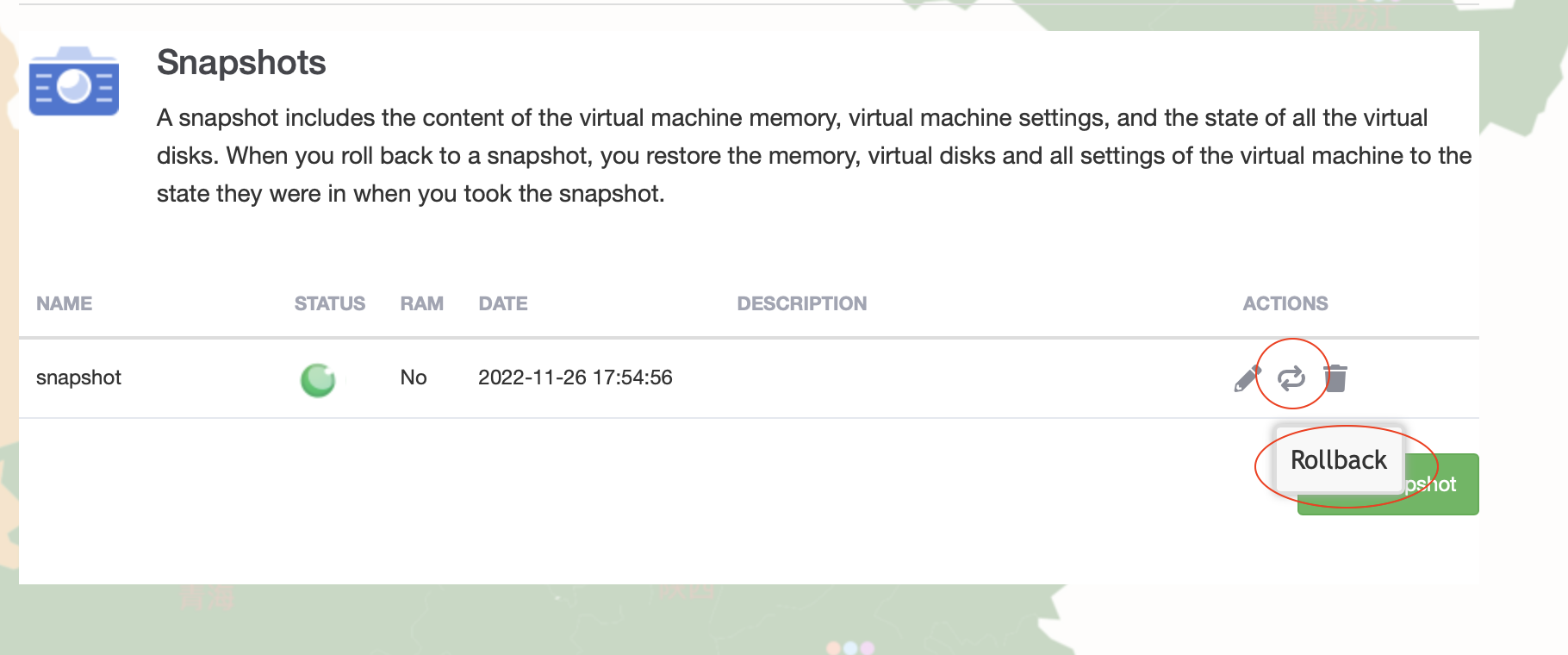
- Fallback to Snapshot
Details Steps of VPS Creation (Please click Red Circled)
(1) Choose My Services

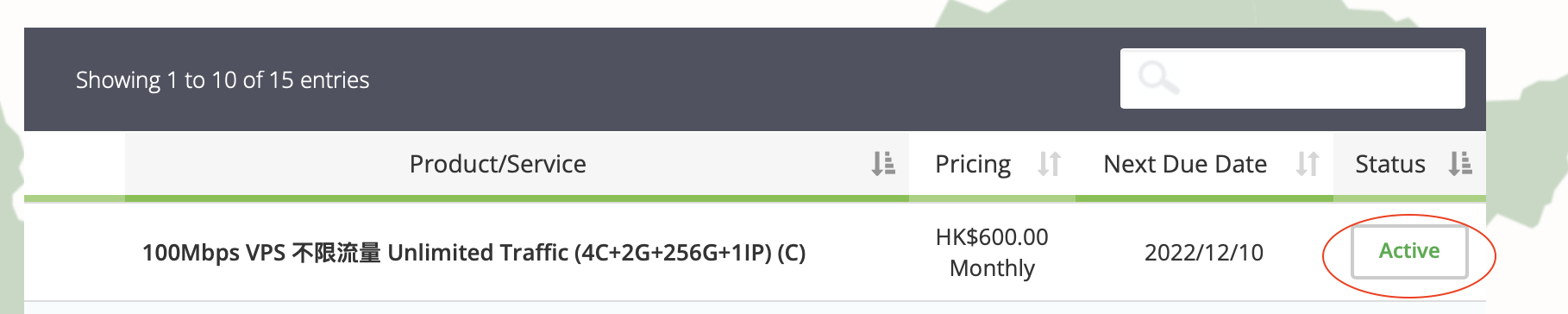
(2) Click on a active Package
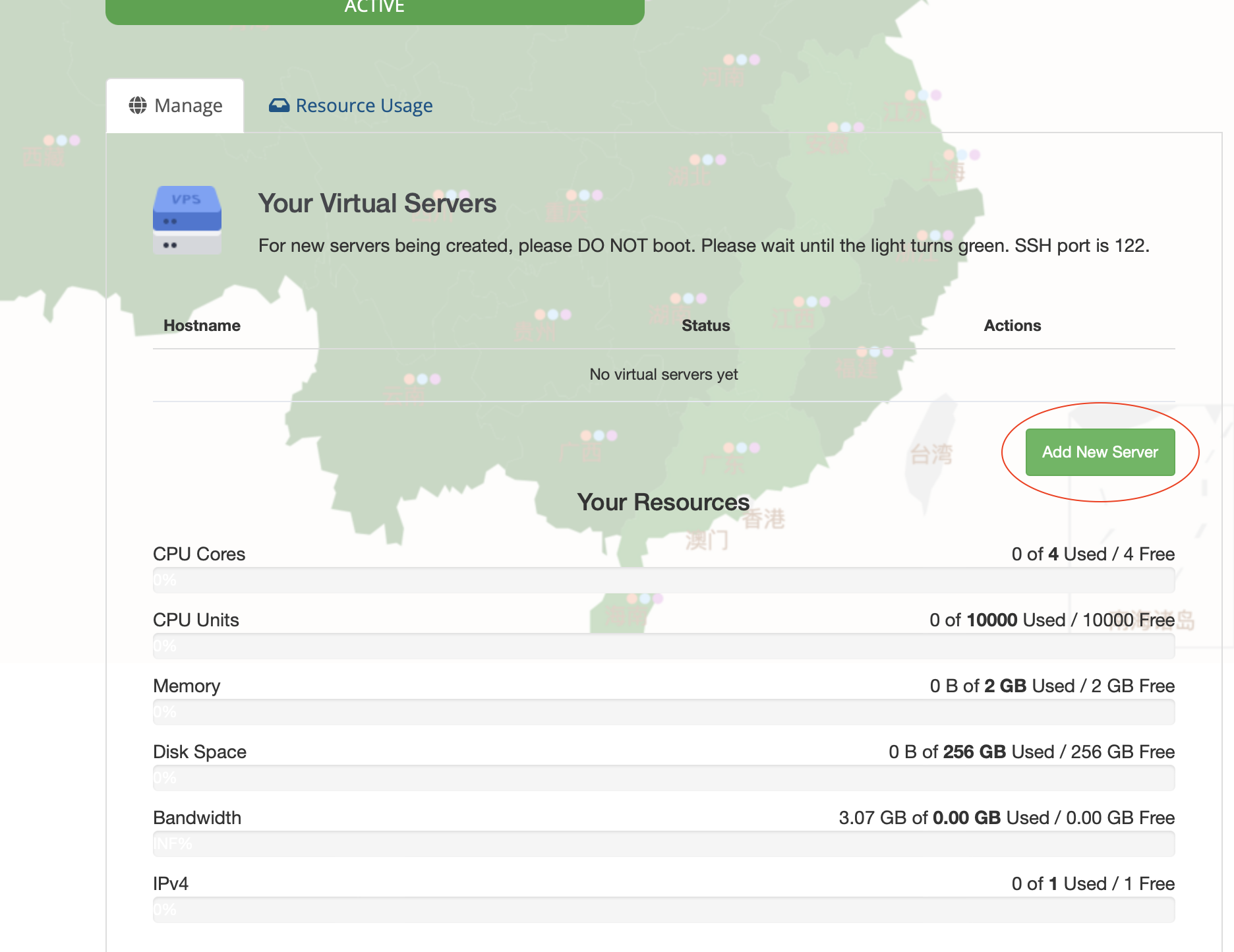
(3) Choose Add New Server
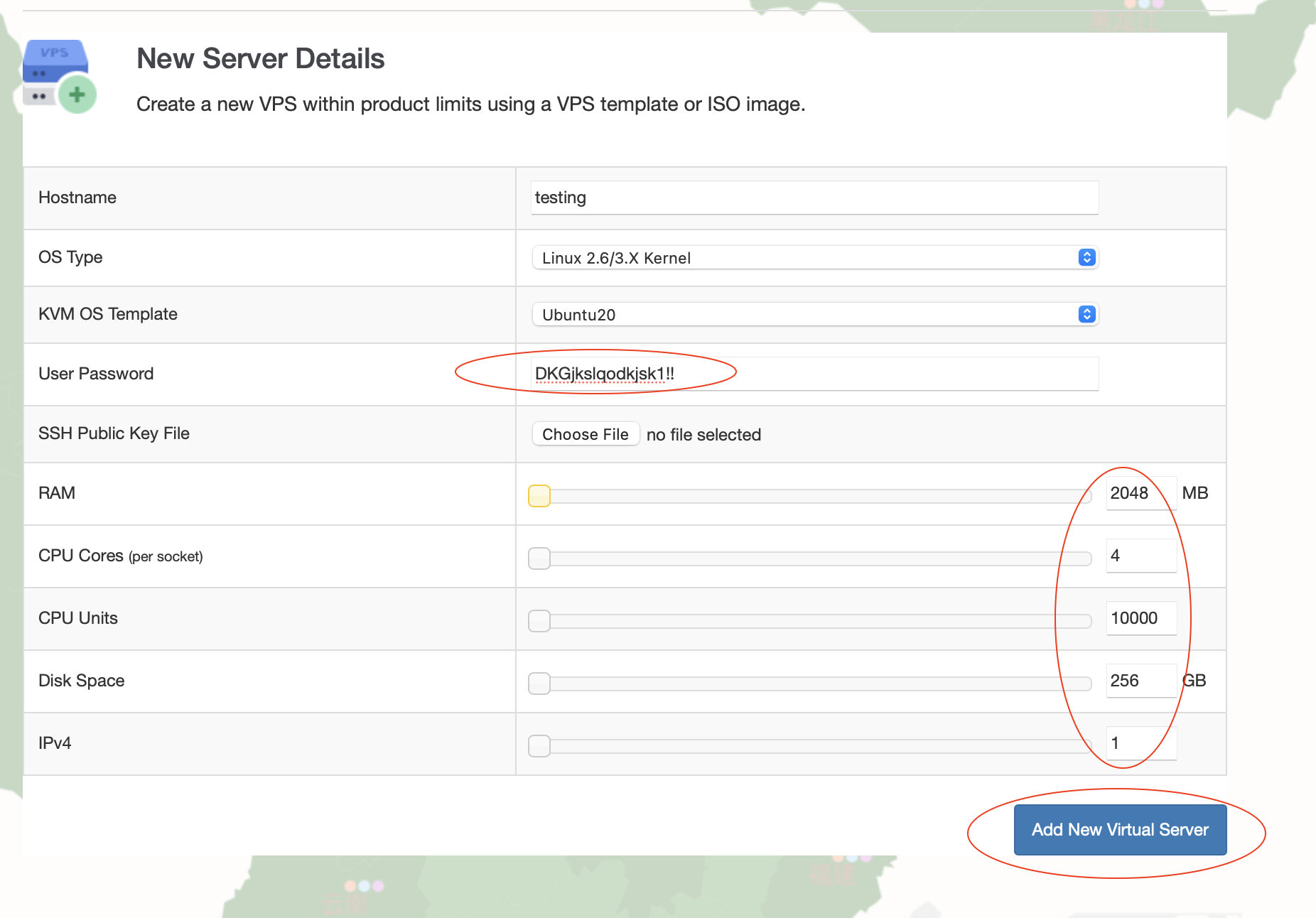
(4) Name the server, and choose Linux Version
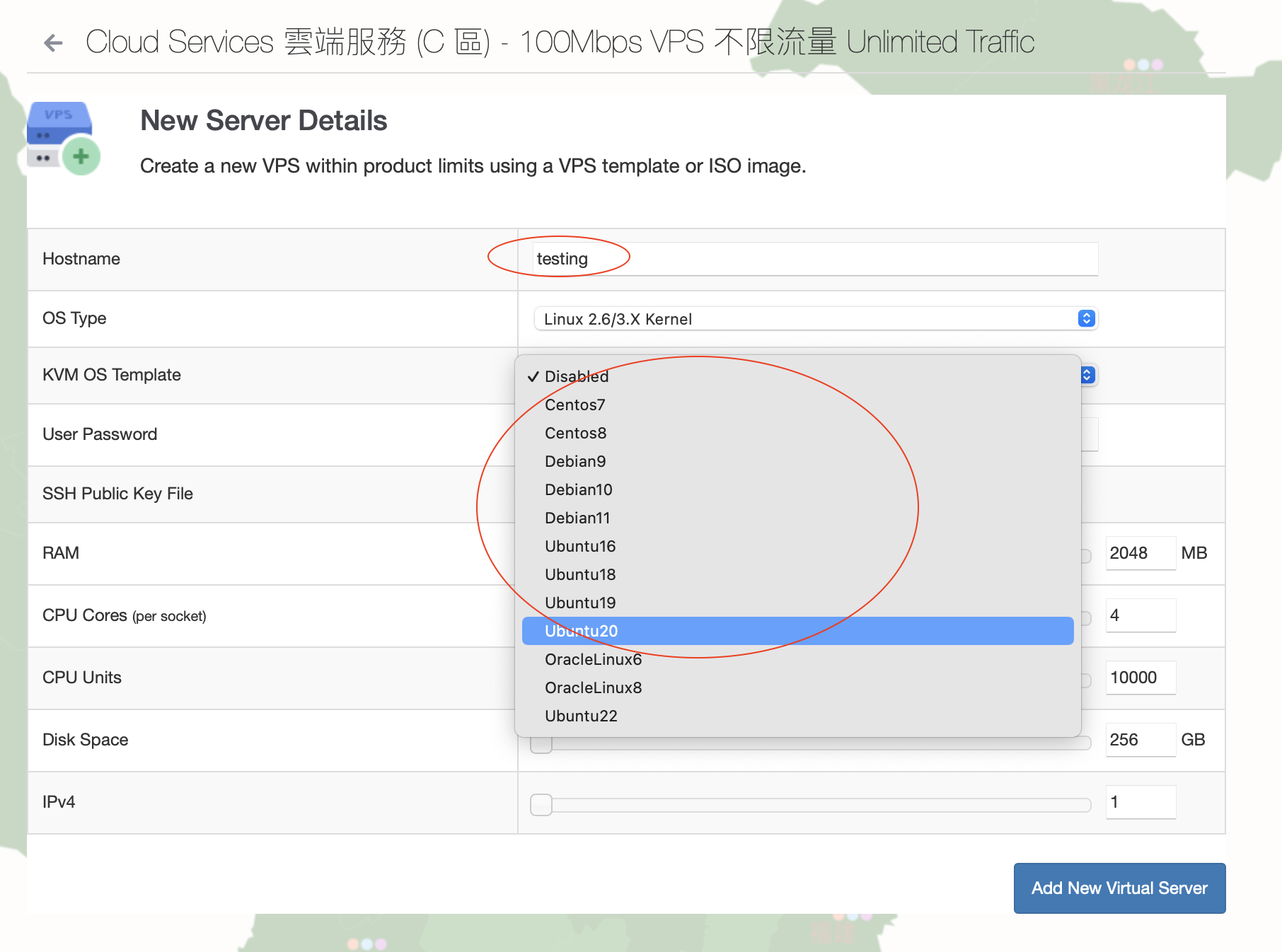
(5) Input password, and configure the resources for this VPS, then click Add New Virtual Server
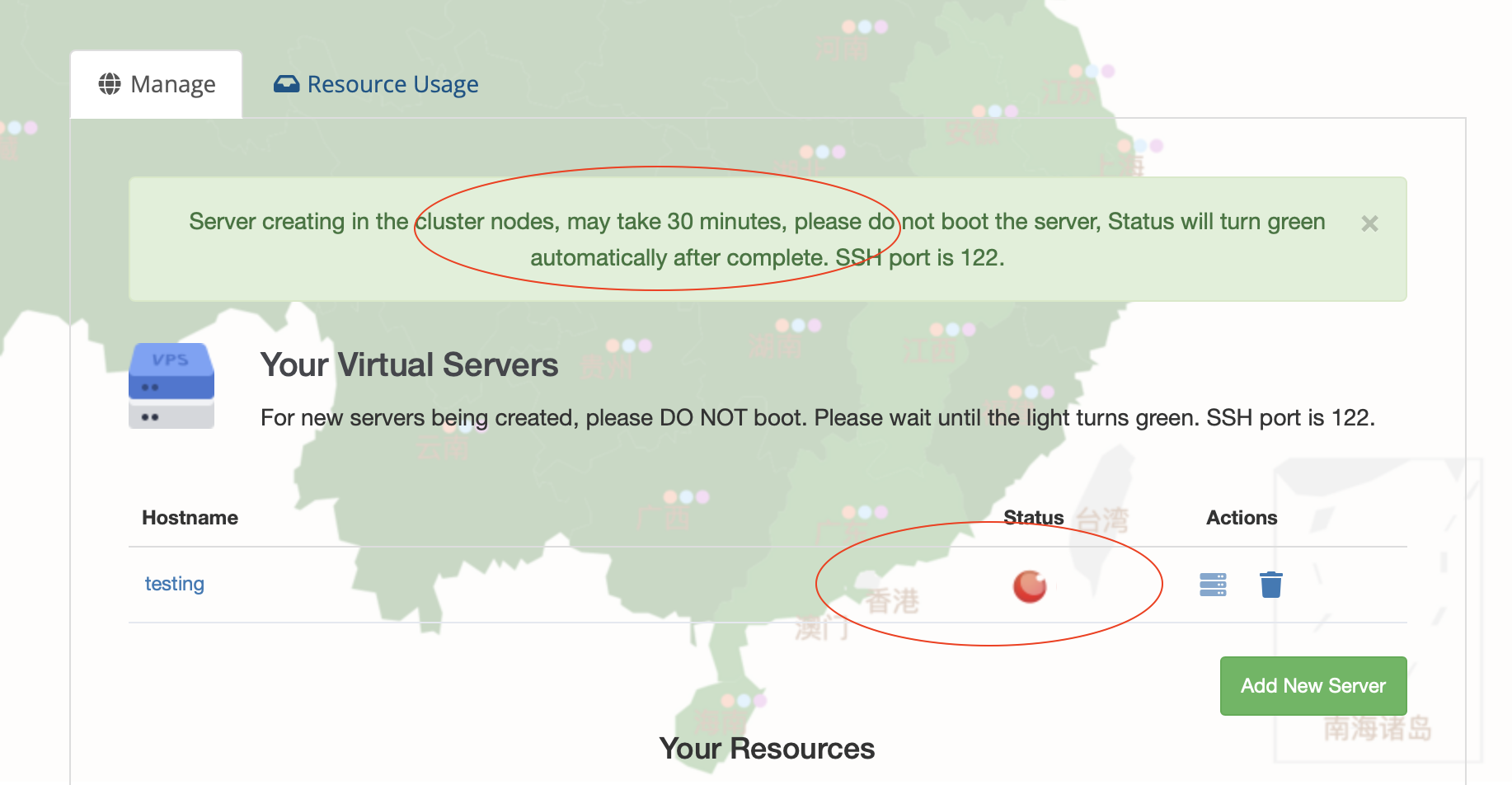
(6) Wait for the Status to turn into Green (takes 10-15 minutes)
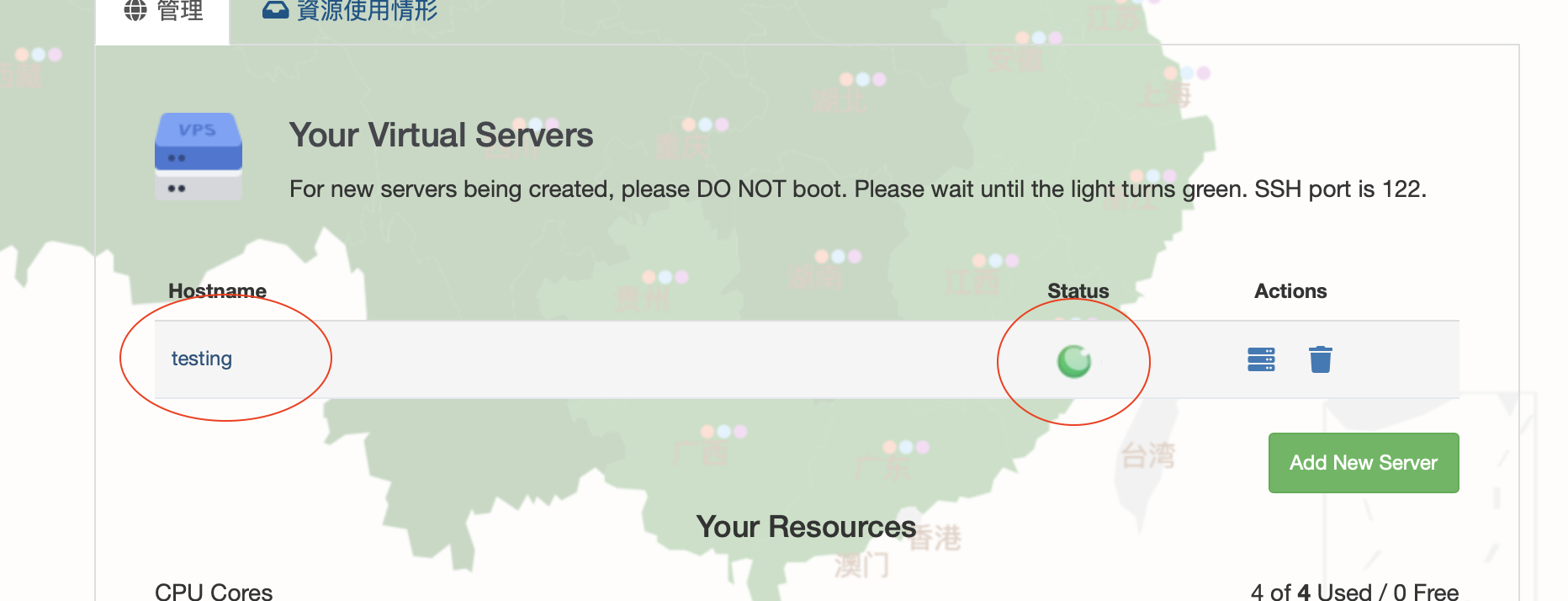
(7) Click into machine after turning Green. Or click the Trash bin on the right to Delete the VPS
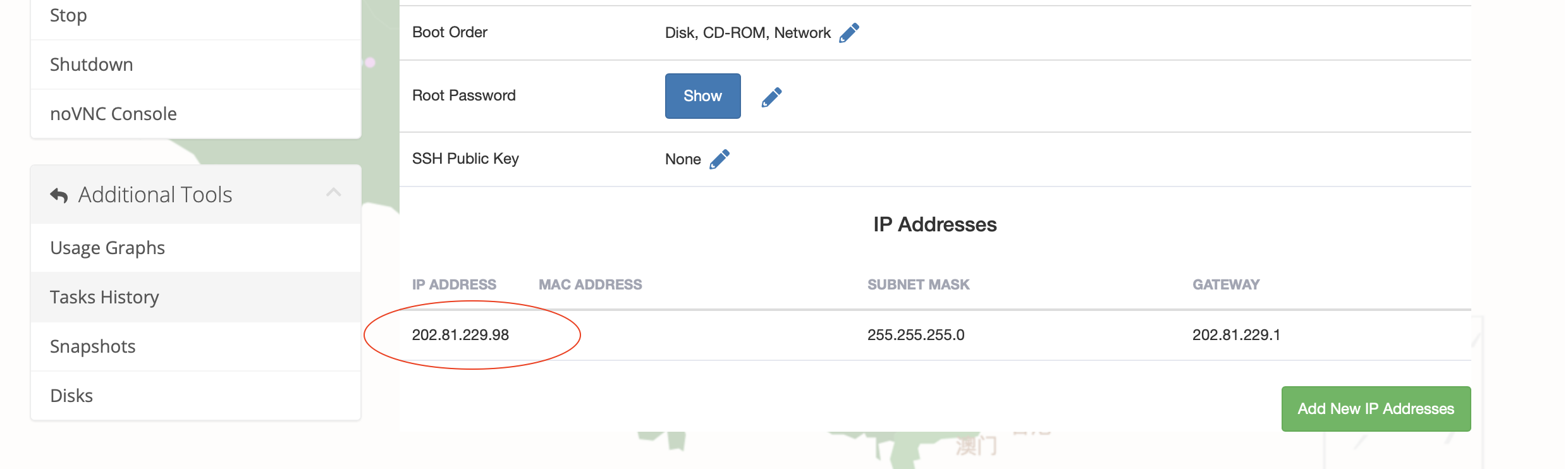
(8) SSH access to the shown IP address's port 122.
(9) Access the console
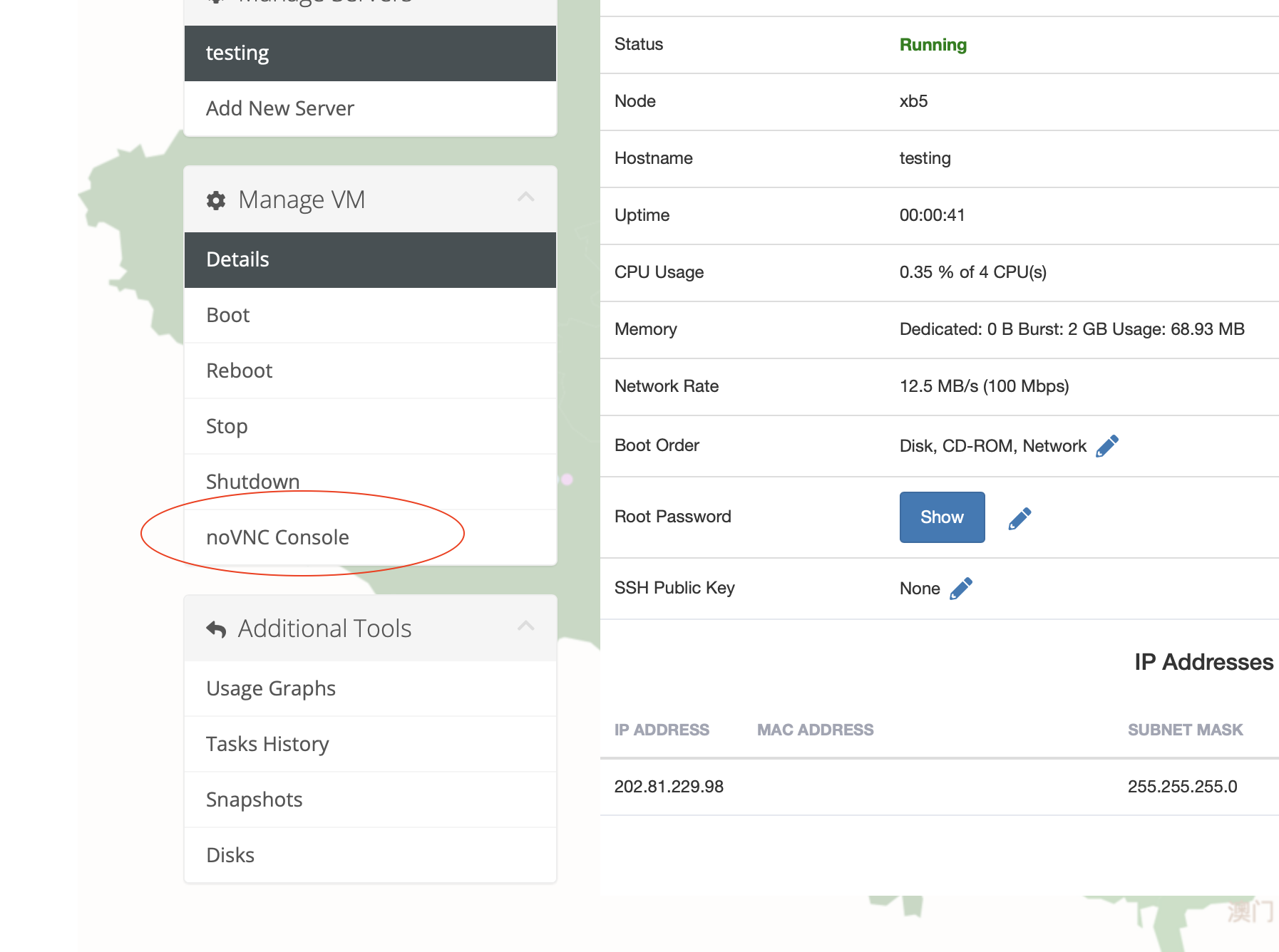
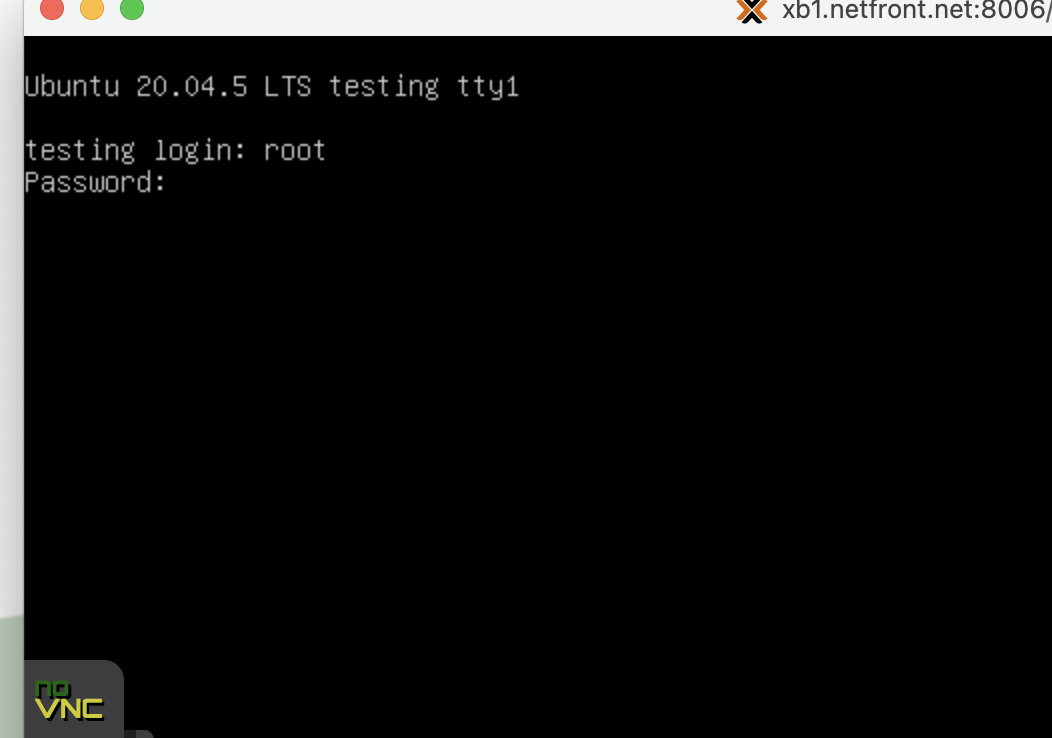
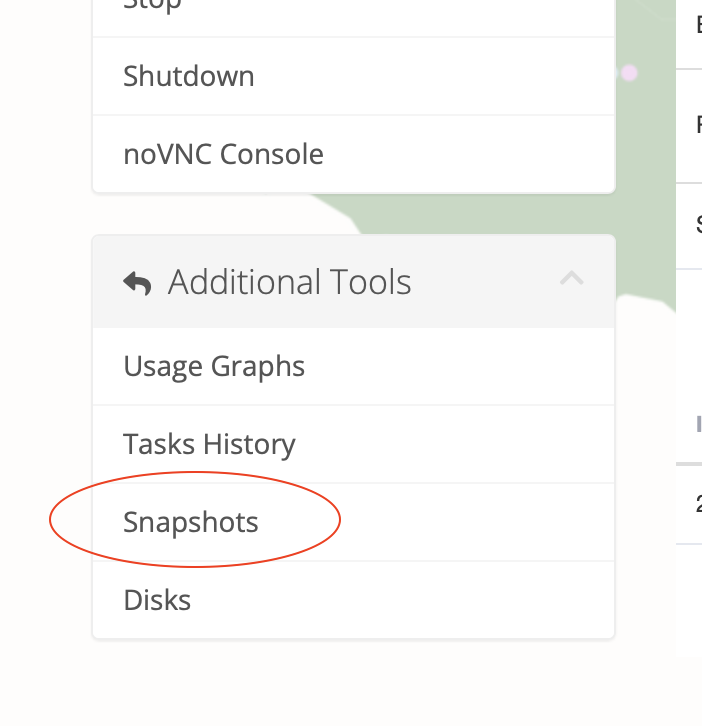
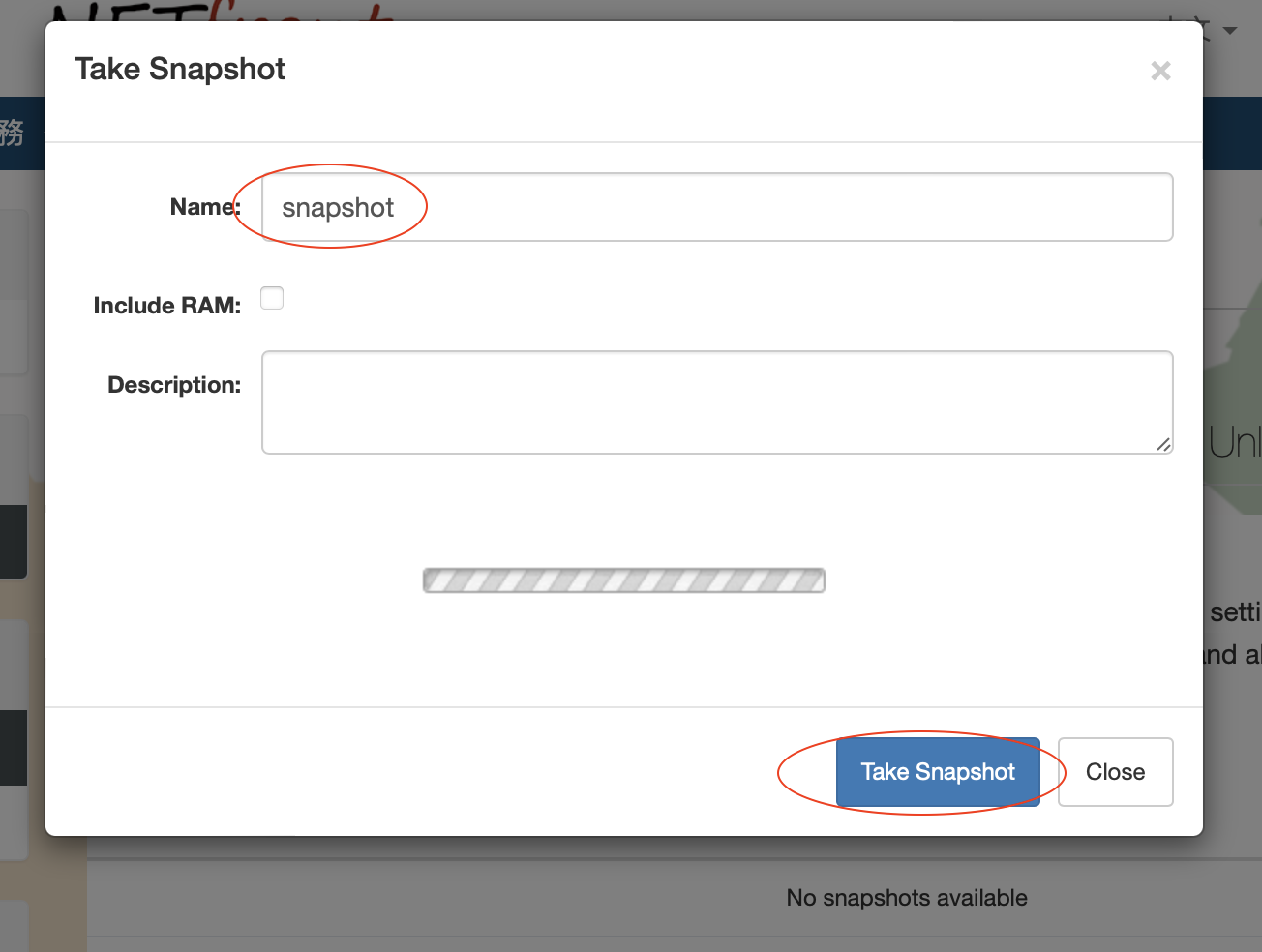
(10) Snapshots Taking and Rollback
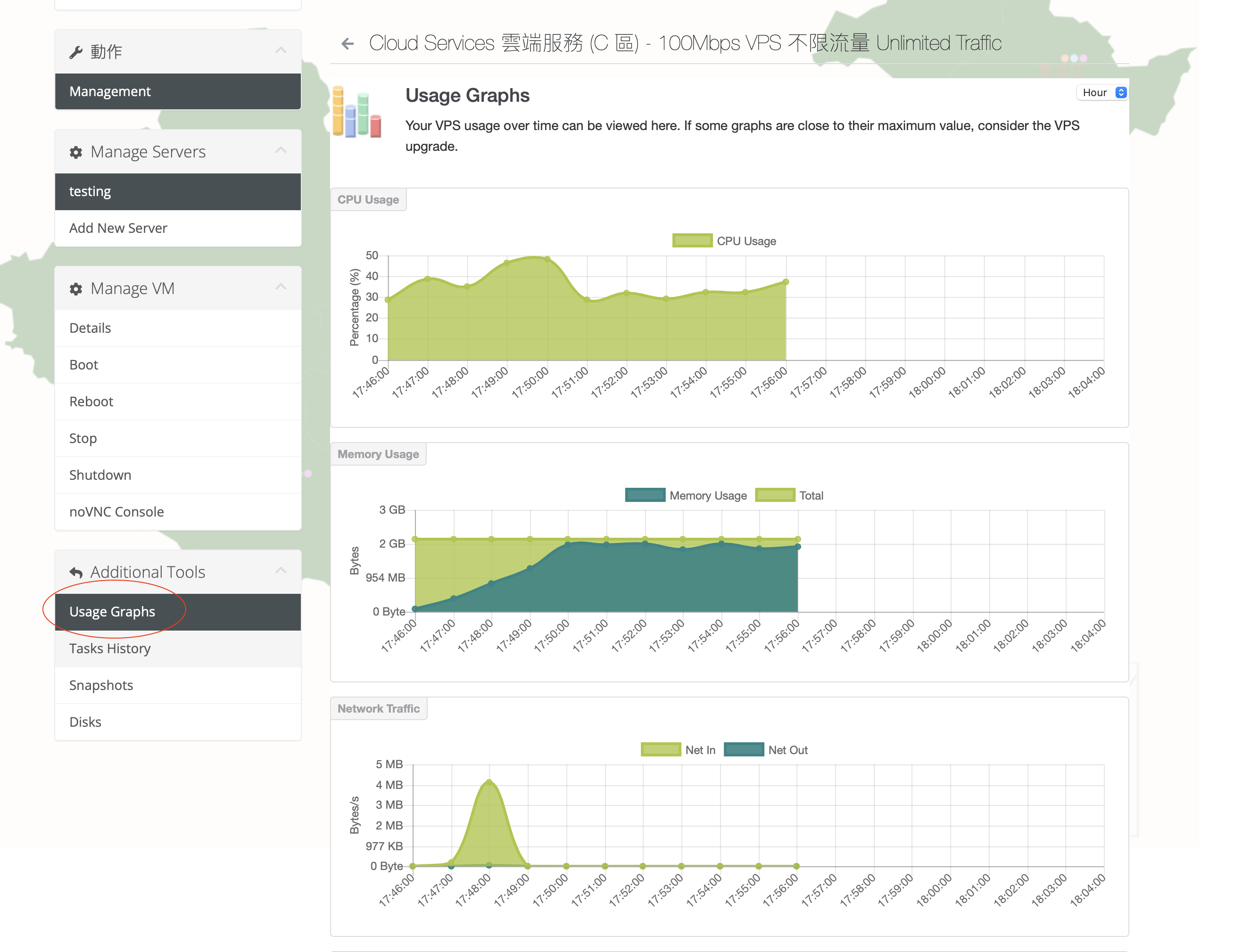
(11) Usage Graphs